Talk'n'Chat School Management System
Project Overview
The Talk'n'Chat School Management System is a comprehensive web application built to manage every aspect of running an English language school in Japan. From automated student enrollment to real-time class scheduling, payment processing, and family communication, this system handles operations for over 200 students efficiently.
The platform spans three interconnected domains: an admin portal for staff (register.talknchat.jp), a family portal for parents and students (members.talknchat.jp), and a REST API for mobile applications (api.talknchat.jp).
Role-Based Access Control
The system implements a sophisticated 4-tier access control system, ensuring each user type has appropriate permissions while maintaining security and ease of use.
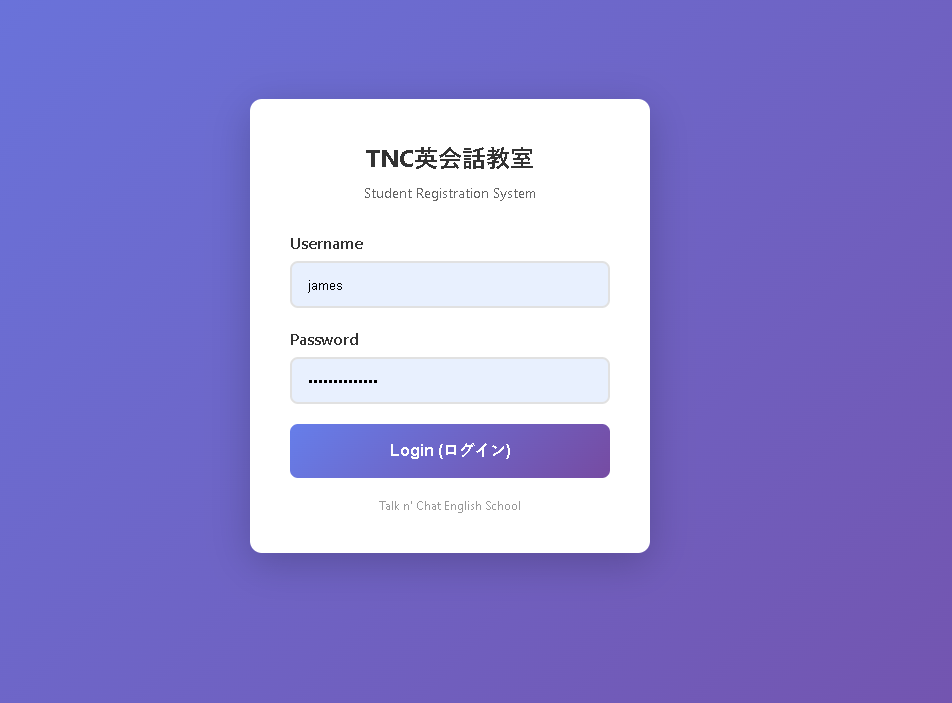
🔑 Super Admin
Full system access including server-side management tools such as log clearing, system configuration, database maintenance, and advanced administrative functions.
👨💼 Admin
Complete operational control over dashboard, student management, class scheduling, payment processing, and family communication without server access.
👩🏫 Teacher
View-only access to class schedules and student rosters. No editing rights, ensuring teachers can see their assignments without accidentally modifying data.
📝 Registration Kiosk
Limited access for the iPad at reception, allowing new families to self-enroll. Credentials are automatically emailed, and families then access their portal via phone.
Comprehensive Dashboard
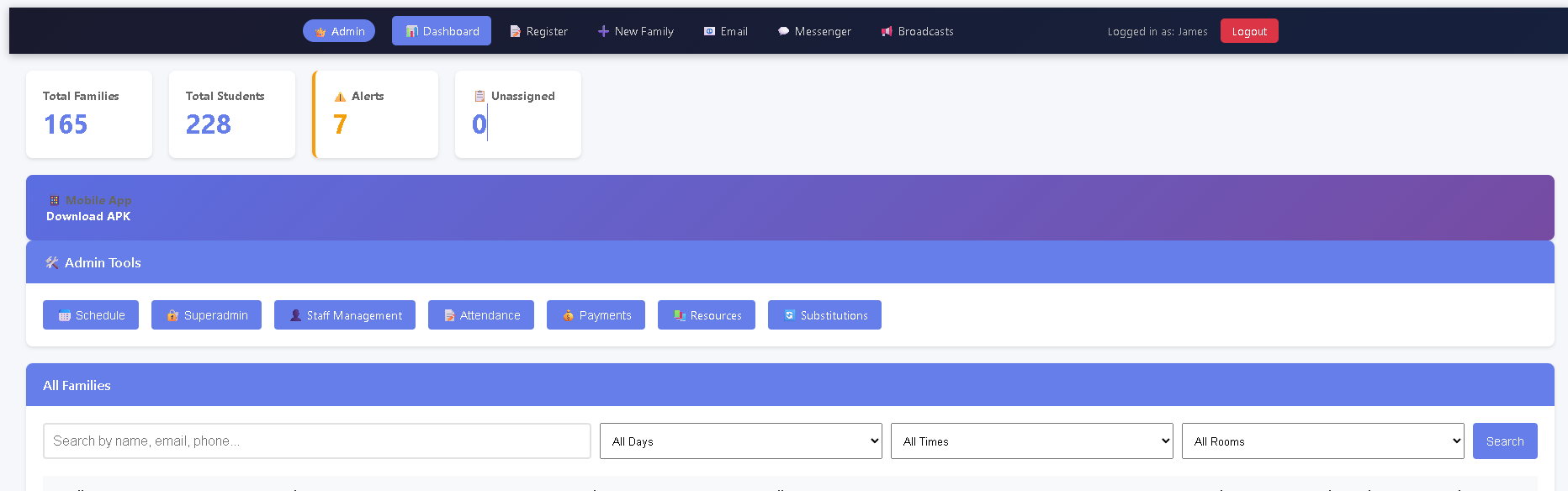
The admin dashboard provides instant visibility into school operations with real-time statistics, alert notifications, and quick access to all major functions. Key metrics are displayed prominently, including total families, total students, active alerts, and unassigned students requiring attention.
Administrative Tools
- Schedule Management: Create and manage class schedules across multiple rooms and time slots
- Staff Management: Assign teachers, manage permissions, track availability
- Attendance Tracking: QR code-based check-in system with real-time class capacity updates
- Payment Processing: Track payments, generate invoices, manage billing cycles
- Resource Library: Centralized teaching materials and curriculum resources
- Substitution System: Handle absent students and substitute class bookings
Advanced Scheduling System
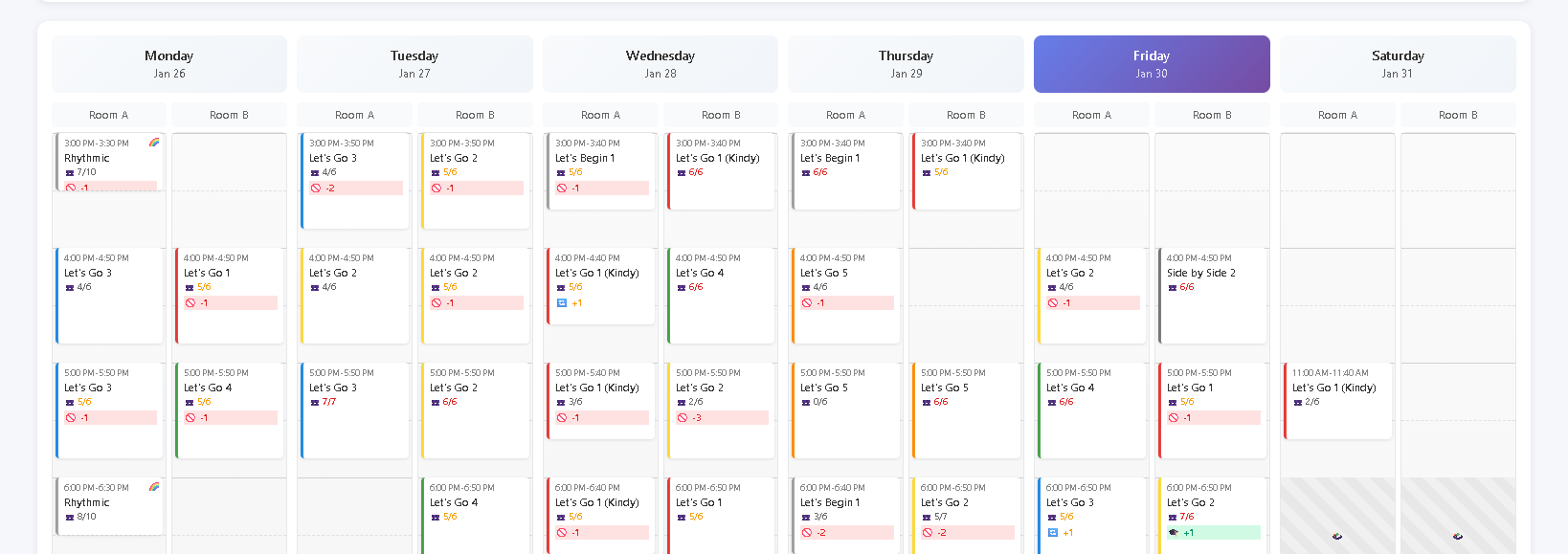
The scheduling system manages complex class arrangements across multiple rooms and time slots. Each class shows real-time capacity (e.g., "5/6 students"), substitute requests, and status indicators using color coding for different levels and programs.
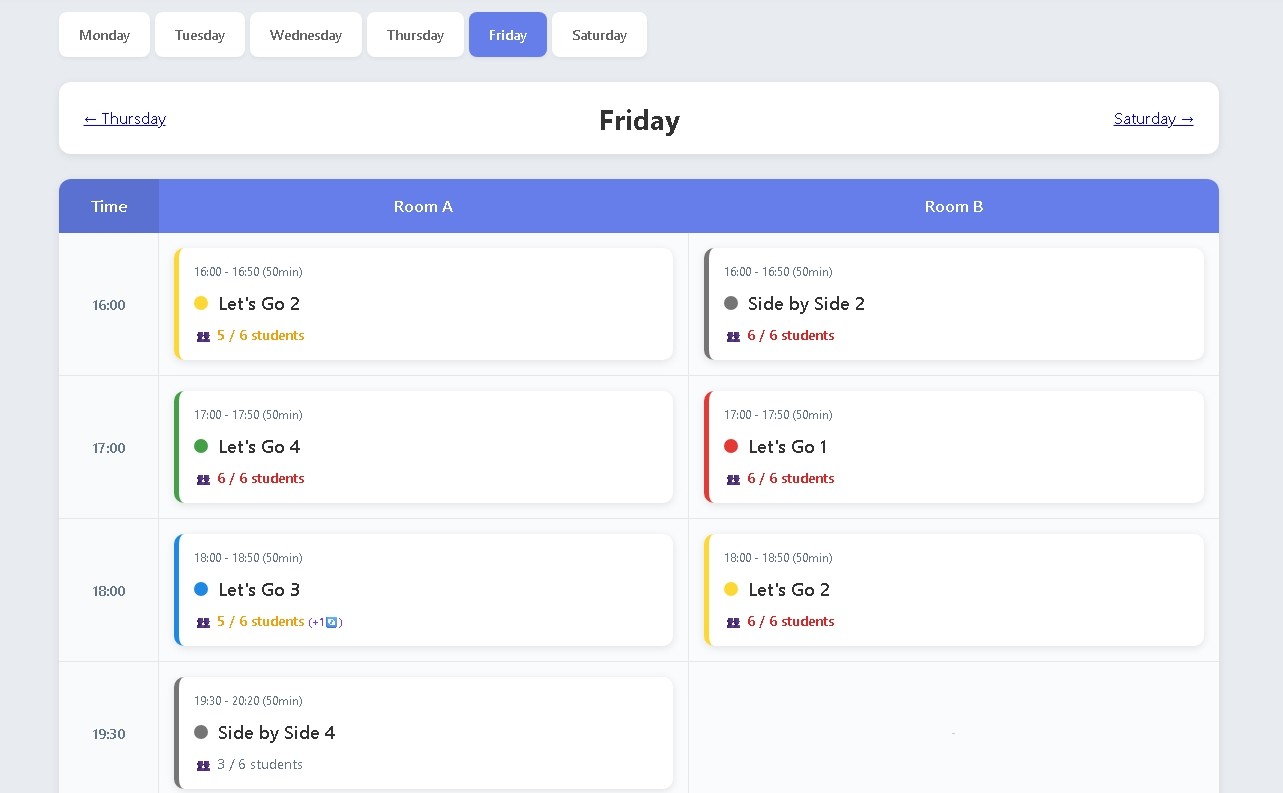
Scheduling Features
- Multi-Room Support: Simultaneous class management across Room A and Room B
- Capacity Tracking: Real-time enrollment vs. capacity for each class
- Color-Coded Levels: Visual distinction between different textbook levels (Let's Go 1-6, Side by Side, etc.)
- Time Block Management: Flexible 50-minute class slots from 3:00 PM to 8:50 PM
- Substitute Indicators: Visual markers showing classes with pending substitute requests
- Weekly Overview: Complete week-at-a-glance calendar for planning and coordination
Automated Student Enrollment
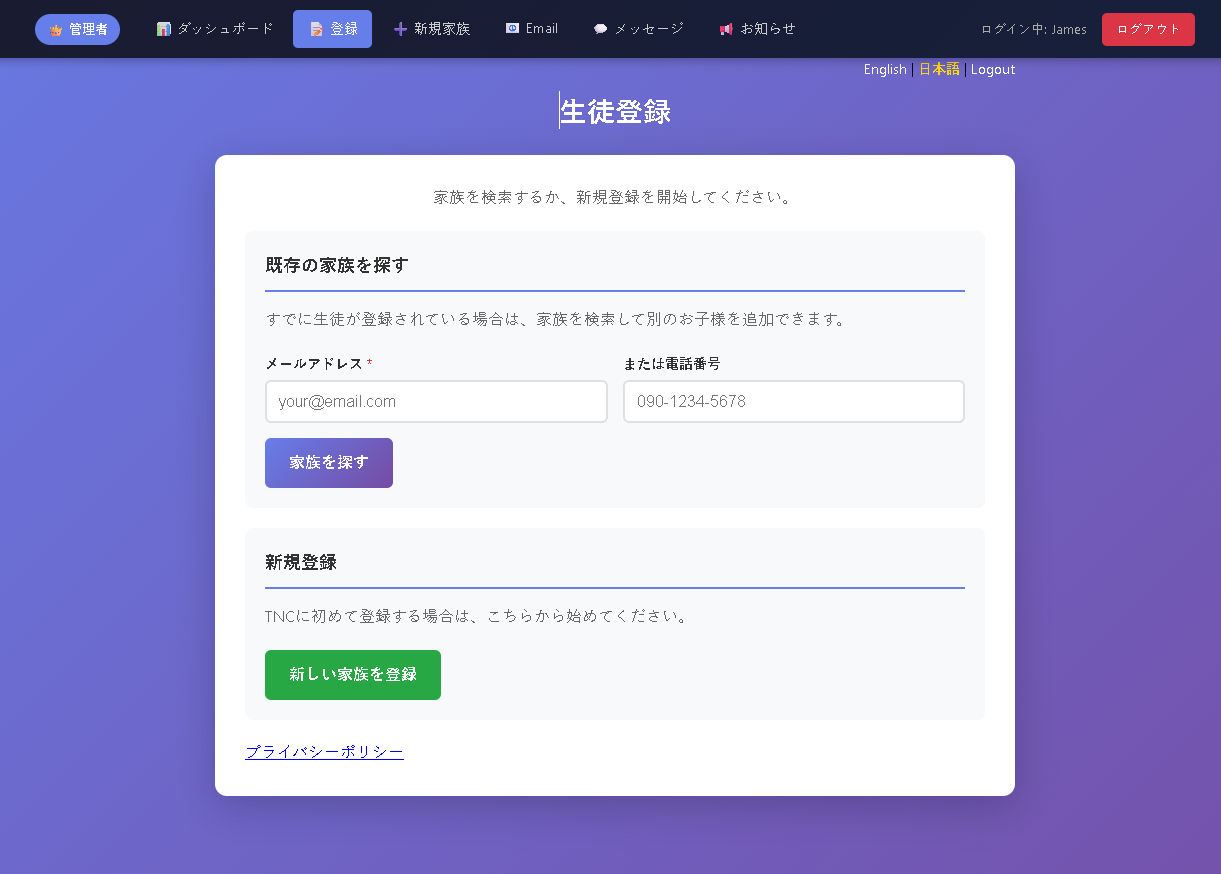
The enrollment system streamlines the process of adding new students while preventing duplicate registrations. Families can use the iPad kiosk at reception to self-register, or staff can search for existing families to add additional children.
Enrollment Workflow
- iPad Kiosk Registration: New families use the dedicated iPad at reception with limited kiosk-only login access
- Family Search: System checks for existing family accounts by email or phone to prevent duplicates
- Automated Credential Email: Login credentials automatically sent to family's email address
- Family Portal Access: Families log into the member portal from their phones to manage bookings and view information
This automated workflow eliminates paperwork, reduces staff workload, and provides instant access for new families. The bilingual interface (English/Japanese) ensures all families can navigate the system comfortably.
Integrated Messenger System
One of the most valuable features is the built-in messaging system, allowing staff to communicate directly with families through the admin portal. This eliminates the need for business hours communication and significantly reduces operational overhead.
📱 LINE-Style Interface
Familiar chat UI that families already know how to use, reducing training time and increasing adoption.
⏰ Asynchronous Communication
Families can message anytime; staff respond when convenient. No more business hours constraints.
📣 Broadcast Messages
Send announcements to all families or specific groups with a single action.
🔔 Real-Time Notifications
Instant notifications ensure timely responses to urgent questions or schedule changes.
Key Benefits
- Reduced Phone Calls: Families can message questions instead of calling during business hours
- Documentation: All communication history preserved for reference
- Multilingual Support: Messages in either English or Japanese
- Staff Efficiency: Respond to multiple families without interrupting lessons
Technical Architecture
System Design
The platform consists of three interconnected applications:
- register.talknchat.jp - Admin portal for staff operations
- members.talknchat.jp - Family portal for parents and students
- api.talknchat.jp - REST API for mobile apps and integrations
All three share a central MySQL database with proper foreign key relationships and indexes for optimal performance.
Key Technologies
- Backend: PHP 8+ with PDO for secure database access
- Database: MySQL/MariaDB with optimized schema
- Frontend: Vanilla JavaScript for performance
- Server: Apache on Ubuntu VPS
- Security: SSL encryption, prepared statements, CSRF protection
- APIs: RESTful endpoints with Bearer token authentication
Development Approach
Built entirely from scratch without frameworks to maintain full control over performance, security, and functionality. This approach resulted in a lean, fast system with no unnecessary dependencies or bloat.
Results & Impact
⚡ Operational Efficiency
Reduced administrative workload by 60% through automation of enrollment, scheduling, and communication tasks.
💰 Cost Savings
Eliminated need for third-party scheduling and communication tools, saving thousands in annual subscriptions.
😊 Family Satisfaction
24/7 portal access and instant messaging improved parent satisfaction and engagement.
📈 Scalability
System currently handles 228 students with capacity to scale to 500+ without infrastructure changes.
Ongoing Development
The platform continues to evolve with new features including payment reconciliation with banking systems, enhanced reporting capabilities, and mobile app integrations. The modular architecture allows for continuous improvement without disrupting daily operations.
Interested in a Custom Solution?
I build comprehensive management systems tailored to your business needs.
Get in Touch