What is MiniPress and Why
# What is MiniPress — And Why Did I Build It?
I've been asked this a few times now, so here it is. The short version: I loved WordPress, but I needed something smaller. The long version is a bit more interesting.
---
## The WordPress Problem
WordPress is brilliant. I've used it for years and I have genuine respect for what it does. It powers a massive chunk of the internet for good reason — it's flexible, it has an enormous ecosystem, and if you need a complex site with dozens of pages, multiple authors, and a plugin for everything, it's hard to beat.
But I don't need that. I run an English school in Japan. My website needs a home page, an about page, a contact page, maybe a blog. That's it. And every time I set up a WordPress site for something like that, I'd spend more time configuring it than actually building the site. Choosing themes, installing plugins just to get basic functionality, updating things, dealing with the overhead of a system designed to handle way more than I needed.
It felt like using a cargo ship to cross a river.
So the question became: what if there was something in between? Something that gave you a real CMS — pages, content management, a proper admin panel — but without all the weight?
---
## What MiniPress Actually Is
MiniPress is a lightweight content management system. It's built with PHP and MySQL, which means it runs on pretty much any standard web host without any special requirements. No Node.js, no Docker, no complicated deployment. You drop it on a server and it works.
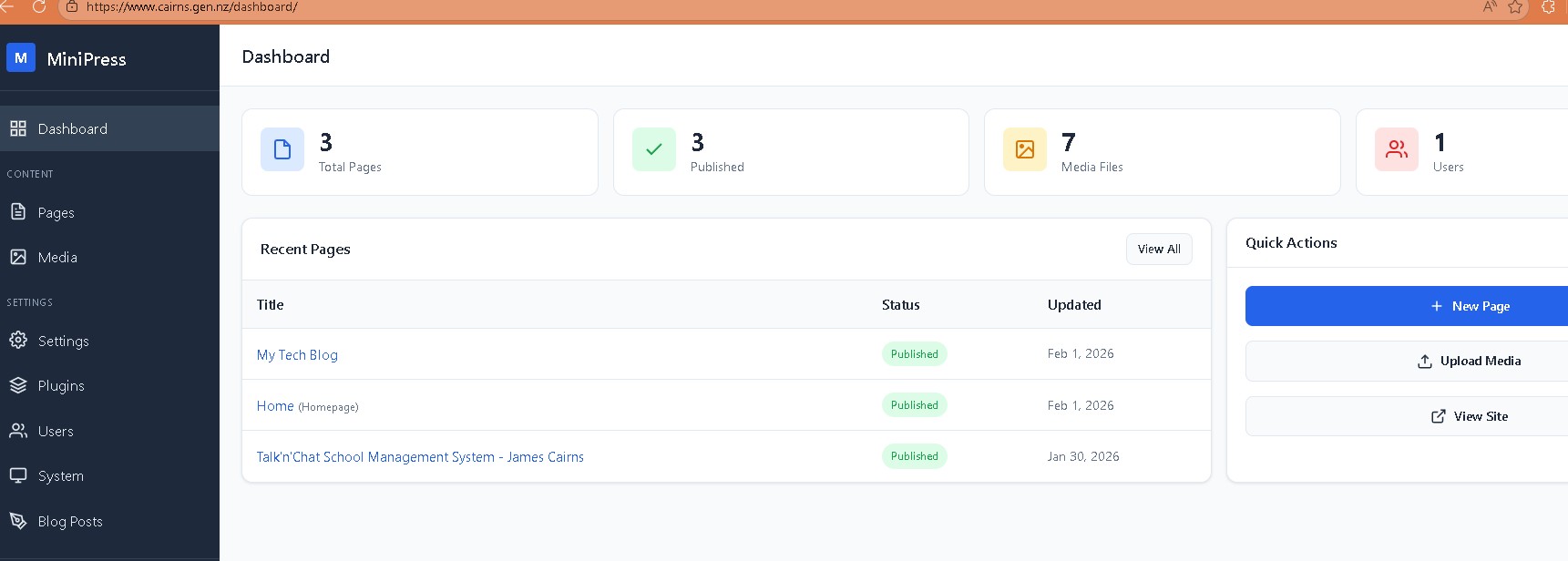
Under the hood it has the things you'd expect from a CMS. There's an admin panel where you manage pages, media, users, and settings. There's a plugin system so you can extend it — the blog functionality I've been building is actually a plugin. There's a template engine, URL routing, authentication, and a backup system. All the bones of a proper CMS, just without the bloat.
The big difference from WordPress is the page builder. Instead of choosing from thousands of themes and hoping one looks close to what you want, MiniPress uses **GrapesJS** — an open-source drag-and-drop visual editor — to let you build pages yourself.
---
## Why GrapesJS?
This is the part that makes MiniPress actually useful for the kind of sites I'm talking about.
GrapesJS is a visual page builder. You drag elements onto a canvas — sections, columns, text, images, buttons — and arrange them however you want. It's like building with blocks. You can see exactly what your page looks like as you're putting it together, without touching a single line of code.
The idea behind bundling it with MiniPress was simple: I wanted someone to be able to create a reasonably good-looking website in an afternoon. Not a developer. Not a designer. Just a normal person who knows what they want their site to look like and wants to point and click their way there.
I've added some enhancements on top of the base GrapesJS experience — things like auto-flexbox for layouts, resize handles, a full-width canvas, and a split-view code editor for when you do want to get into the HTML. But the core idea is the same: make visual design accessible without making it a full-time job.
---
## The Templates
One thing that can be intimidating about a blank canvas is exactly that — it's blank. So I created a set of basic templates to get you started. They're not meant to be final products. They're meant to spark something.
A clean homepage layout. A simple about page. A contact page with a form. A blog listing. Each one is a starting point you can drag around, change the colours on, swap in your own text and images. Think of them as a rough sketch that says "here's one way this could look — now make it yours."
The templates are deliberately simple. A polished design that someone spends weeks perfecting isn't useful as a starting point — it just becomes something you're afraid to change. A clean, functional layout that says "this works, now play with it" is much more useful.
---
## Who Is This For?
MiniPress isn't trying to replace WordPress. If you need a massive e-commerce site, a multi-author publication, or something with thousands of pages, WordPress is still the right tool.
MiniPress is for the other thing. The small business with five pages. The freelancer who needs a portfolio. The person running a school or a club or a small project who just needs a site that looks good and doesn't require a computer science degree to maintain.
It's for when you know what you want your website to look like, but you don't want to spend weeks building it. And it's for when you want to be able to update it yourself without calling someone every time you need to change a paragraph.
---
## Where It Stands Now
MiniPress is still very much a work in progress. I'm building it for my own needs first — my portfolio site is the test bed — and then cleaning things up as I go. The blog plugin I've been working on is a good example of that. It started as a simple feature request and turned into a proper system with categories, settings, and a visual block builder.
There's more to do. More templates, more polish, more plugins. But the foundation is solid, and the core idea — a lightweight CMS with a visual page builder that doesn't get in your way — that part works.
I'll keep writing about it as it develops. If you're curious or have questions, you know where to find me.